
Please note: The content in this section is relevant only for select countries that include the Accu-Chek account sign on process. Please reach out to mySugr support if you are not sure if this applies to your account.
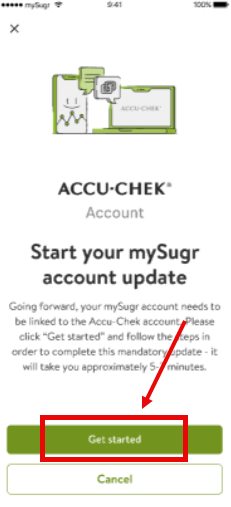
To share your health data from mySugr® with your doctor, you need to update your account to an Accu-Chek Account.**
Be sure you're updated to the most recent version of the mySugr app. If you're not sure, please contact us so we can help you find what version you're running.
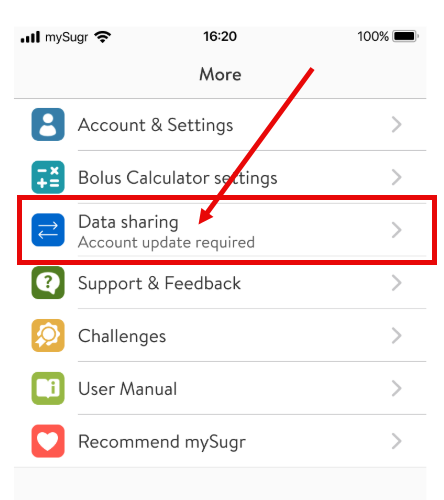
- Open mySugr® and select More in your tab bar menu
- Select Data Sharing. (If you do not see this option in your menu, please let us know immediately)
-
- In the menu, you know you will need to update your account if it says "Account update required" below Data sharing.
-